Offline Lab: A Modern Target (OWASP Juice Shop)
DVWA is a classic PHP app; Juice Shop is a modern JavaScript single-page application, so it behaves like the apps you will actually test today. It is an official OWASP project built for training, with a built-in scoreboard of challenges. You run it locally and explore it as you would any unfamiliar target.
What you will learn
- Run a modern single-page application locally
- Do first-contact recon on an unfamiliar app (robots.txt, the scoreboard, the API traffic)
- Use browser devtools to watch the API calls a modern app makes
- Apply the access-control and recon ideas against a target you control
Before you start
These exercises cover what this one builds on.
- Recon & Port Scanning Easy
- Broken Access Control Medium
Offline lab — set up on your own machine
This lab runs locally, not on our servers. Follow the set-up below, attack the target on your own machine, then submit the keys here. Only practise against targets you have set up yourself.
OWASP Juice Shop is a free, official OWASP training application. Run it locally with Docker in one command.
# Run Juice Shop on your own machine (listens on port 3000)
docker run --rm -p 127.0.0.1:3000:3000 bkimminich/juice-shop

# Then open it in your browser:
#   http://127.0.0.1:3000
Prefer Node.js? With Node 20+ installed:
git clone https://github.com/juice-shop/juice-shop.git
cd juice-shop
npm install
npm start # then open http://127.0.0.1:3000127.0.0.1. Juice Shop is intentionally vulnerable — it is a training target for your machine only, never something to deploy publicly.Juice Shop has a hidden scoreboard of challenges; finding it is itself the first challenge. Part of this lab is discovering it the way you would on any app.
1 A target that behaves like the real thing
Modern web apps are mostly single-page applications: the browser loads a bundle of JavaScript once, and from then on the page talks to the server through background API calls rather than full page loads. Testing them feels different from testing a classic server-rendered app, and the best way to get used to it is to run one you control.
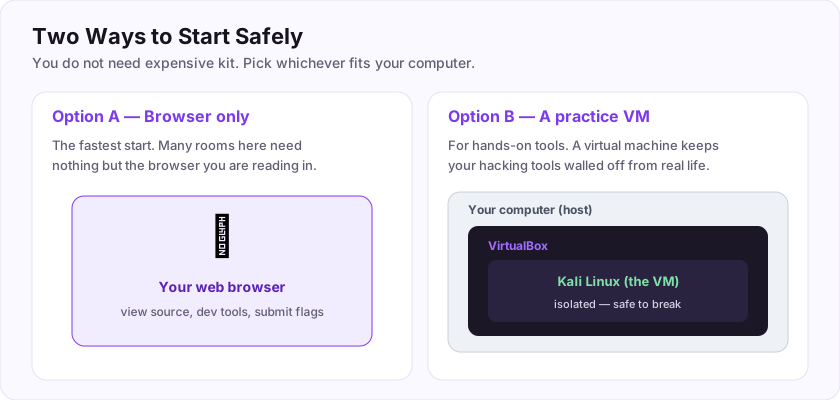
Juice Shop is exactly that kind of app, built by OWASP for practice. Set it up with the panel at the top of this page, open http://127.0.0.1:3000, and just use it for a few minutes — browse products, make an account, add things to a basket. You are getting a feel for the app before you probe it, which is what real recon looks like.
2 First-contact recon
Recall the recon exercise: before testing, you map. On a web app that means noticing what it exposes and how it talks to its server.
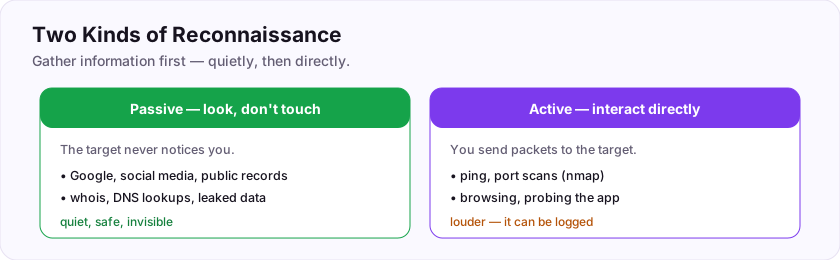
Three things to do on your local Juice Shop:
- Check
robots.txt. Visithttp://127.0.0.1:3000/robots.txt. This file asks search engines not to index certain paths — which often points you straight at interesting ones. Note what it mentions. - Open your browser's developer tools (F12) and watch the Network tab while you click around. You will see the background API calls the single-page app makes — the real surface you would test. Notice the URL patterns (they look like an API:
/rest/...,/api/...). - Find the scoreboard. Juice Shop hides a challenge scoreboard. Finding it is a recon exercise in itself — the hints above (robots.txt, watching traffic, guessing an obvious path) are how people find it. When you reach it, you will see dozens of built-in challenges graded by difficulty, which you can keep working through long after this lab.
None of this is "attacking" yet — it is learning the shape of the target, which is most of the job.
3 Confirm you did it
The keys check a couple of facts you can only know from running Juice Shop and looking around. Because this is an offline lab on your own machine, the keys are observations about the app, not a captured flag.
Keep the instance — the built-in scoreboard gives you a huge, free, legal set of challenges to grow with, all on a target you fully control.
Submit your keys
Keys are not case-sensitive. Each is worth points the first time you get it right.
Key 1What port does OWASP Juice Shop listen on by default (the one in http://127.0.0.1:____)?
+15 ptsShow a hint
It is in the run command and the URL above.A written solution is included with Pro, or appears here once you solve it.