Offline Lab: Your First Local Target (DVWA)
This is an offline lab. You set up a well-known, free, deliberately-vulnerable application — DVWA, the Damn Vulnerable Web Application — on your own computer, and attack your own instance. It is the safest possible place to try SQL injection and XSS for real: everything stays on your machine, and the app exists specifically to be practised on.
What you will learn
- Stand up a local vulnerable web app with Docker
- Confirm the app is running and reachable only on your machine
- Practise the SQL injection and XSS ideas from earlier exercises, hands-on
- Understand why offline, self-hosted targets are the right way to practise
Before you start
These exercises cover what this one builds on.
- SQL Injection Medium
- Cross-Site Scripting (XSS) Medium
Offline lab — set up on your own machine
This lab runs locally, not on our servers. Follow the set-up below, attack the target on your own machine, then submit the keys here. Only practise against targets you have set up yourself.
DVWA (Damn Vulnerable Web Application) is a free, open-source PHP/MySQL app built *specifically* for safe security practice. The quickest way to run it is Docker.
# 1. Pull and run DVWA locally (binds to your own machine only)
docker run --rm -it -p 127.0.0.1:8080:80 ghcr.io/digininja/dvwa:latest

# 2. Open it in your browser
#    http://127.0.0.1:8080

# 3. On first load, click "Create / Reset Database", then log in with:
#    username: admin    password: password

# 4. Go to "DVWA Security" and set the level to "Low" to start.127.0.0.1 as shown so the vulnerable app is reachable only from your own computer. Never expose a deliberately-vulnerable app to the internet.Prefer not to use Docker? The project's README has manual install steps. Either way you are running *your own* copy — that is the whole point of an offline lab.
1 Why an offline target
Everything you have learned so far — SQL injection, XSS, access control — is only legal and safe to *practise* on a system you are allowed to attack. The cleanest such system is one you run yourself. That is what an offline lab is: a deliberately-vulnerable application you download and run on your own machine, with no connection to anyone else's systems.
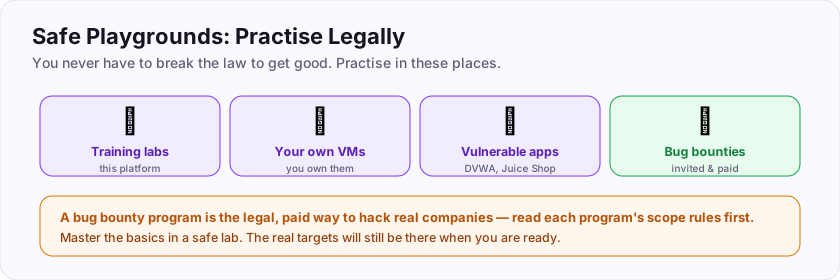
This mirrors how the classic penetration-testing labs worked: you got an image, ran it locally, and attacked it to your heart's content. There is no scope to worry about, no permission to chase, and nothing you can break that matters — it is your copy, and resetting it is one click. Set up the target using the panel at the top of this page, then come back here.
2 What to practise
Once DVWA is running at http://127.0.0.1:8080 and set to Low security, you have a playground for the exact bugs from earlier exercises.
- SQL injection. Open the "SQL Injection" page. It takes a User ID and looks up a user. Try an ordinary id first to see normal behaviour, then recall the single-quote test and the login-bypass idea from the SQL Injection exercise. Watch how the page reacts when your input stops behaving like a plain id.
- XSS. Open "XSS (Reflected)" and "XSS (Stored)". These take text and put it back into the page. Recall what distinguishes reflected from stored, and watch where your input reappears.
You are not following a script — you are applying the understanding you already built, against a real app, with the safety net of it being your own instance. When you can make each page misbehave and explain *why* in the terms from the earlier exercises, you have turned knowledge into a skill.
Then raise DVWA's security level to Medium and High and notice how the same inputs stop working — that is the defensive side (validation, encoding, parameterisation) in action. Seeing a fix *stop* your attack is one of the most useful things a beginner can experience.
3 Confirm you did it
The keys below check that you actually stood the lab up and looked around — they are facts you can only know from running DVWA yourself. (Because this is an offline lab, we cannot see your instance, so the keys are observations about the tool rather than a captured flag.)
When you have the app running, set to Low, and have tried the SQL Injection and XSS pages, answer the keys. Then keep the instance around — later offline labs and your own experiments can reuse it.
Submit your keys
Keys are not case-sensitive. Each is worth points the first time you get it right.
Key 1After first launching DVWA, what is the default username you log in with?
+15 ptsShow a hint
It is the standard administrator name.A written solution is included with Pro, or appears here once you solve it.